Attuneby Warren LabsFree · on the App Store for Mac, iPhone and iPad
Find your sound.
Hear your headphones the way you want, or voiced like another headphone
entirely. Then actually listen and choose. The audition is free, no subscription.
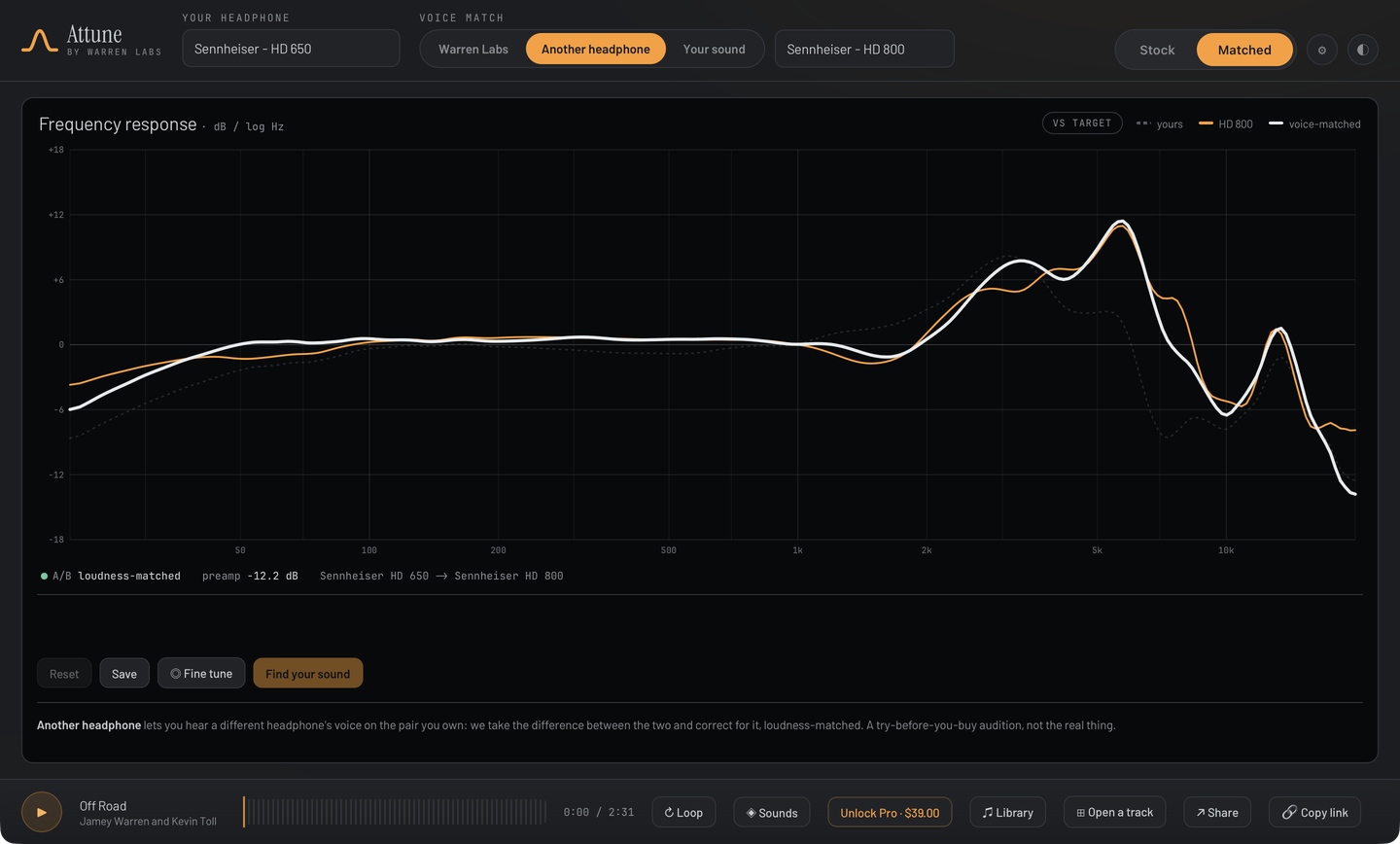
A/B loudness-matchedSennheiser HD 650 → Sennheiser HD 800
The problem
A graph is a line. Listening is personal.
Measurement sites can tell you what your headphones do. None can tell you what they do
for you, and none let you actually hear the difference.
01
Numbers aren't a sound
A frequency-response curve is a chart to read, not a thing to hear. Two people looking at the same line want two different tunings, and neither can tell from the graph.
02
One "correct" target
Diffuse-field. Neutral. Somebody's house curve. Every tool hands you one preset curve and calls it right. Your gear and your taste never got a vote.
03
Nowhere to actually listen
Most tools stop at data and presets. The one thing that matters, hearing it on your music and choosing, is left to you.
The best tuning for your headphones isn't the "right" one. It's the one you'd pick with your eyes closed.
How it works
Four steps to your sound.
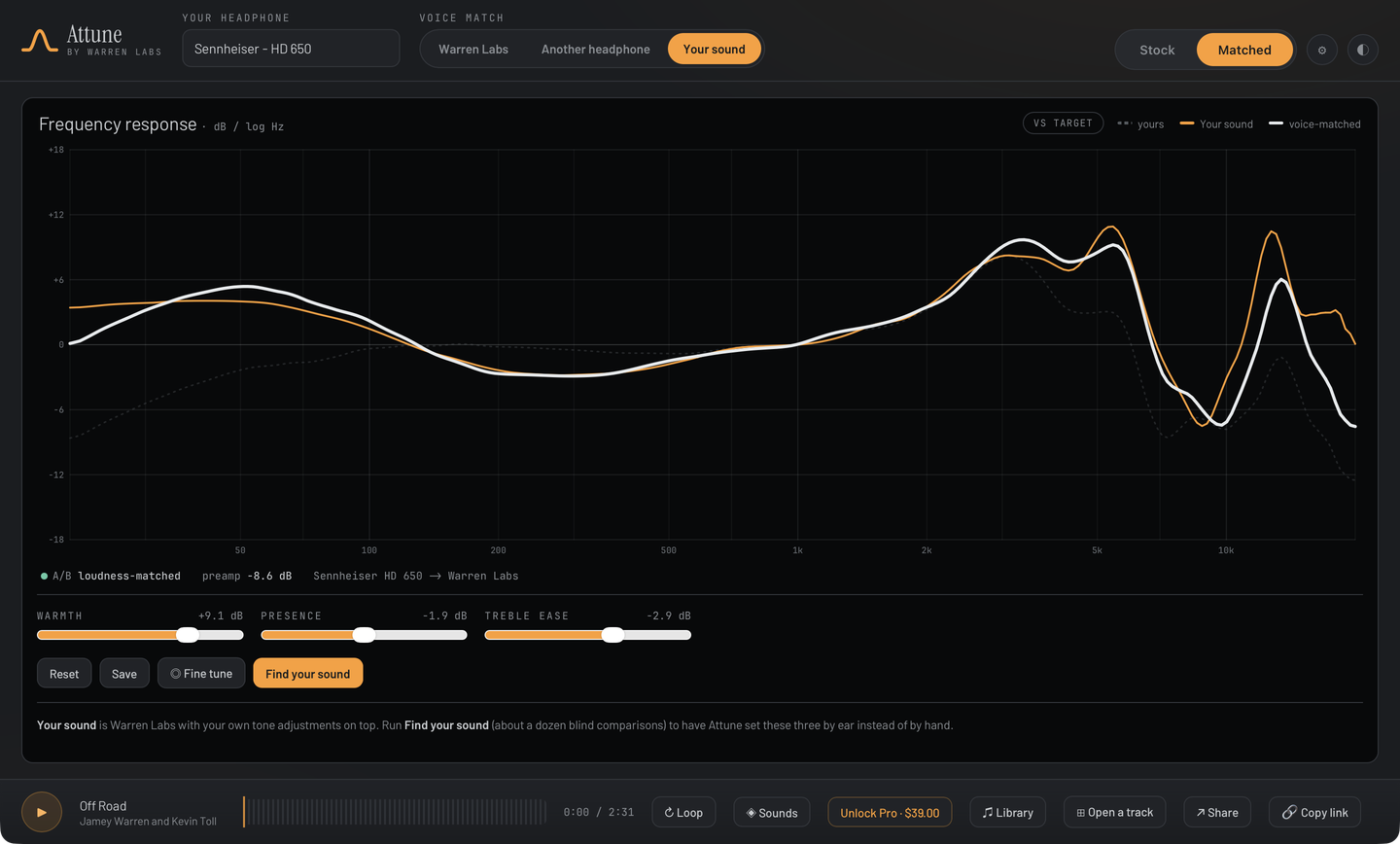
The graph becomes the surface you're hearing through, not a chart you're reading. Everything runs in real time on your own music.
STEP 01
Pick your headphone
Six headphones ship, and every curve is our own measurement on our own rig. Not yours? Import your own (CSV, AutoEq, squig), free, or send us the pair.
STEP 02
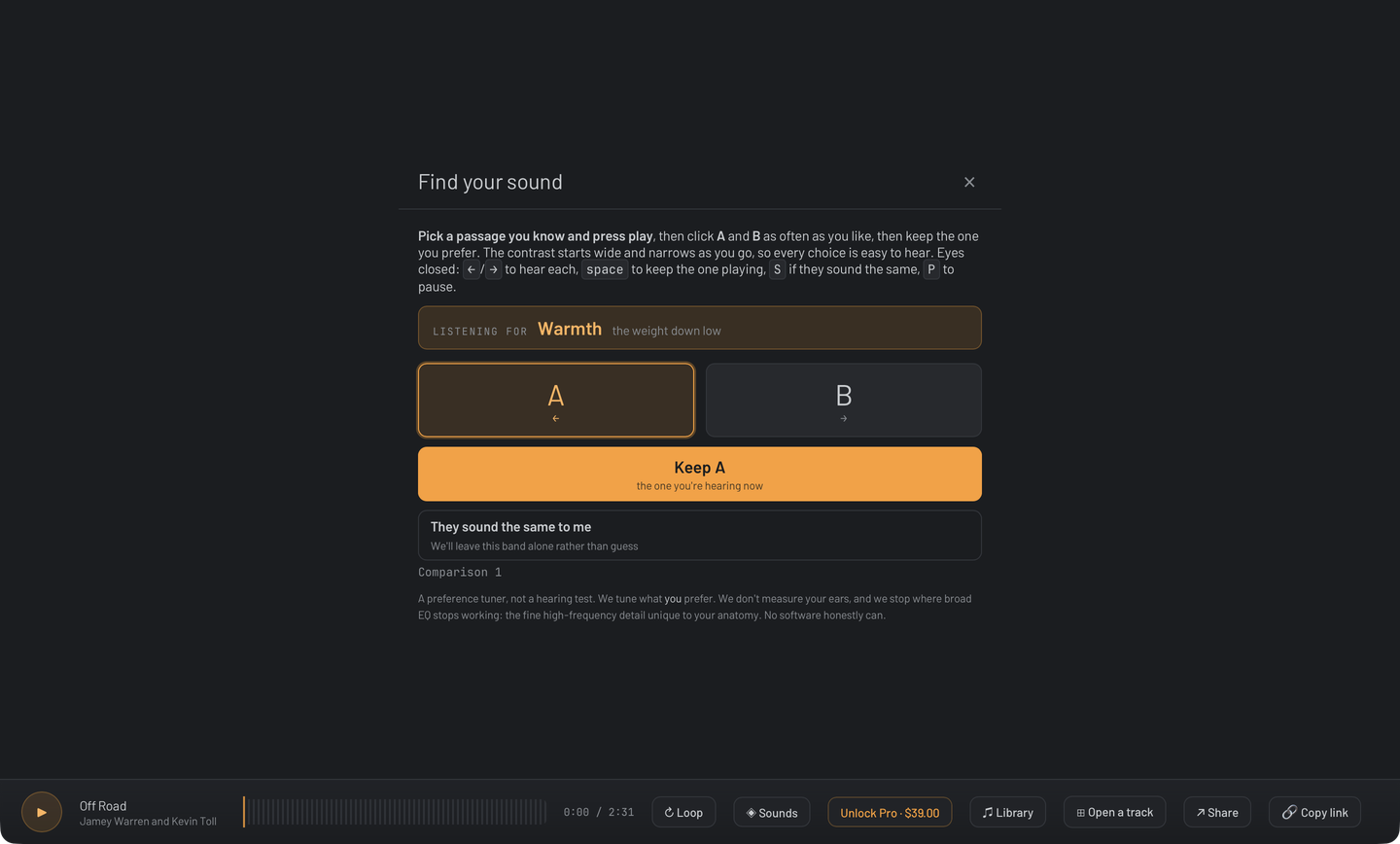
Audition A / B
A blind, loudness-matched face-off plays on the track you're already hearing. Just tap the one you like. A or B?
STEP 03
Discover your curve
Each choice nudges a personal offset. Watch your curve build on the graph. Bespoke, not a canned preset.
STEP 04
Save & apply
Flip Stock ⇄ Yours to hear what you gained. Save the sound per headphone, then listen for real.
The ear exam
Like an eye exam, for tuning.
About a dozen short comparisons (A or B?) on your own music, gain-matched so
loudness never tips your hand. No sliders, no theory. You do the deciding.
◆Blind & honest. Every comparison is loudness-matched, so louder never masquerades as better.
◆On your music. The A/B runs on the track that's already playing, the passages you actually know.
◆Seamless switching. Crossfades between tunings instead of muting, so the only thing that changes is the sound.
◆Yours to keep. The result is a personal EQ curve, saved per headphone. With Pro it exports as a standard AutoEq file and travels to your phone, DAP or dongle.
Try it
Tap A or B to hear each tuning, then pick the one you'd choose. Six rounds here, about a dozen in the app.
Comparison 0 of 6
Voice match
Hear another headphone’s tuning on your own cans.
Curious how a different headphone is voiced? We measured both, so
we take the difference between the two and correct for it,
loudness-matched. That is voice matching, and it lets you hear how another headphone’s
balance would sit on the pair already on your head: blind, on your own music.
◆Match the tonal signature, not a literal clone. You borrow another tuning’s balance (its bass, mids and treble) and hear it on your gear.
◆Honest about the limits. EQ matches tonal balance, not resolution, soundstage, distortion, or driver physics. No $80 can becomes a $4k flagship, and we won’t pretend otherwise.
◆A starting point, not a verdict. Use a reference voicing as your baseline, then keep tuning by ear until it’s yours.
Matches tonal balance, not resolution, soundstage, or driver behavior.
Whose measurements
Six headphones. All of them ours.
Every curve in Attune is our own measurement, taken here on a miniDSP EARS Pro, with the
rig’s uncertainty drawn on the graph rather than hidden. Nothing is scraped from a public
database. Six we measured ourselves beats five thousand we didn’t.
01
Measured here, on one rig
One fixture, one stated seating rule, both channels kept. The method is written down and you can check it, including the parts that are not flattering.
02
Yours isn’t listed? Import it
CSV, AutoEq or squig. Attune voice-matches to an imported curve exactly as it would to a bundled one. Free, permanently, and it will not become a paid feature.
03
Or send us the pair
We measure your exact unit on our rig and publish the result, flattering or not, then add it. About a week. See how that works.
Who's behind it
A career spent measuring headphones and building the tools to compare them honestly:
side by side, level-matched, with no hype in between.
The same work continues in Attune, powered by Warren Labs' shipping Level correction engine: the
loudness-matched correction DSP trusted in the studio. A Warren Labs product.
25+ yrs
Professional audio & headphone design
2003-2017
HeadRoom: VP Ops, then President and CEO
0.00 dB
Worst-case gap between the drawn curve and the audio you hear, across four headphones
The actual app
Five screens, shot from the build.
Not renders. This is what installs.
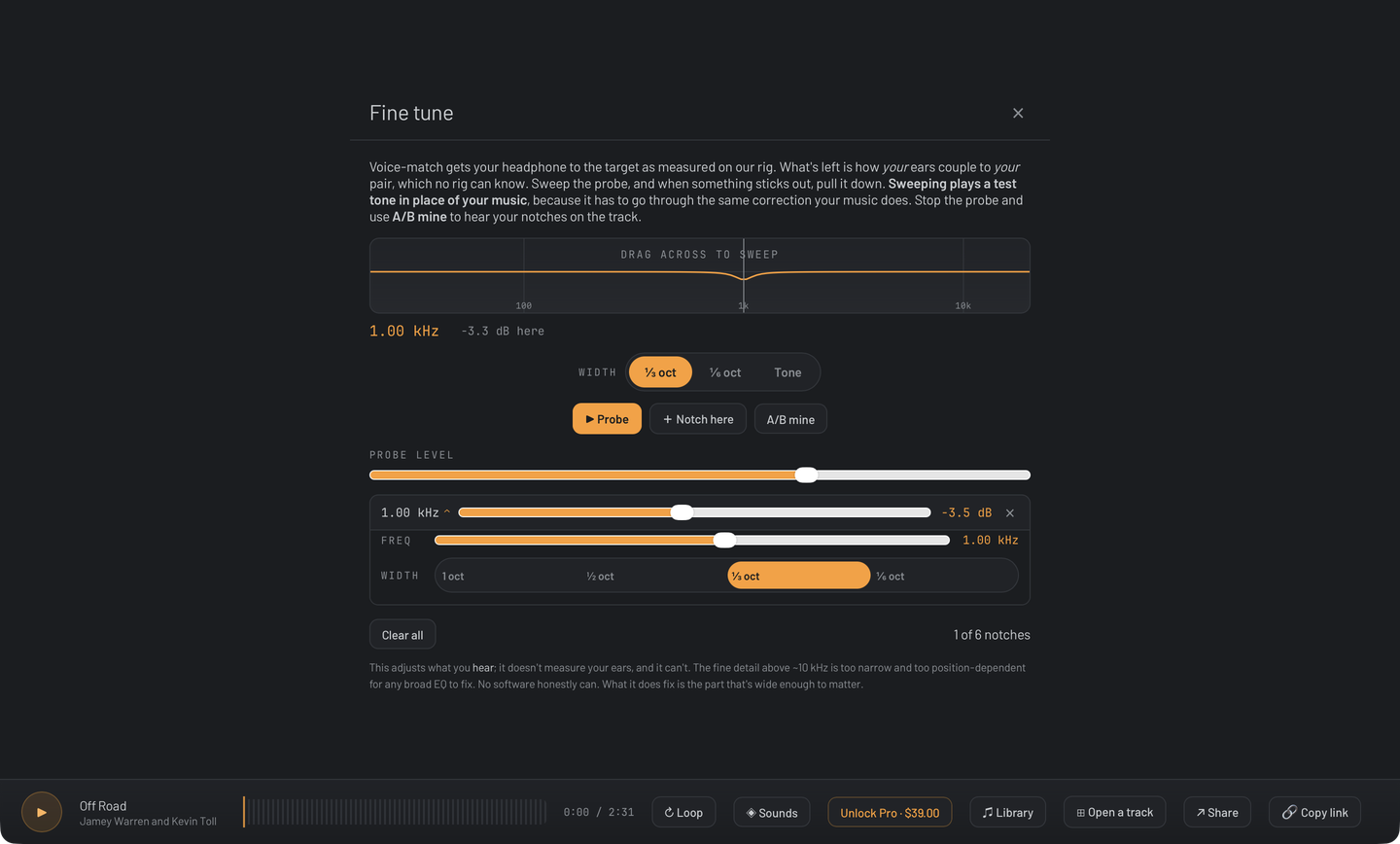
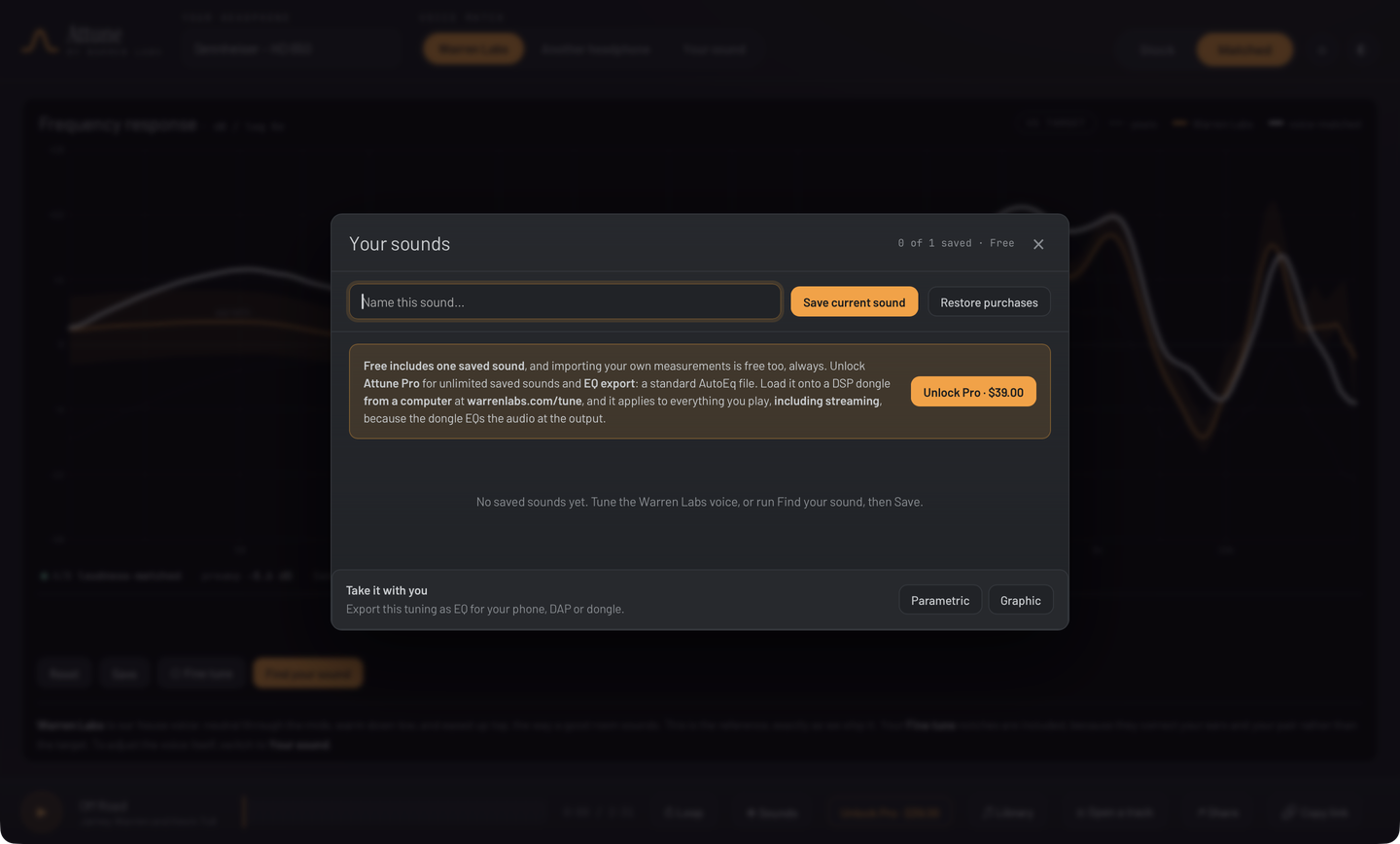
The graph is the instrument.Hear another headphone’s voice on yours.Sweep it, then pull down what sticks out.Blind A/B, loudness-matched.Your sounds, saved.
Free to find it · free to keep it · one-time Pro
Free to find it. Free to keep it.
Free correction presets are everywhere, and they are good. What a preset cannot do is play you your
own music, blind and loudness-matched, and let you pick. That part is free here, and so is keeping what you find. Pro is a one-time unlock for people who want
more than one saved sound and want to take their curve elsewhere. It is a Universal Purchase:
buy it once and it covers Mac and iOS.
◆ The real-time audition engine, free forever
◆ One saved sound, kept, at no cost
◆ No account and no card to start
◆ No subscription. Pro is a one-time unlock.
Free No card
$0
no account, no trial clock
◆ Blind, loudness-matched A/B on your own music
◆ The ear exam and voice match
◆ One saved sound, kept and reloaded every launch
◆ Six headphones, all measured in-house on our own rig
◆ Import your own measurements (CSV, AutoEq, squig), free, always
The same loudness-matched engine either way. No subscription, ever.
EQ moves tonal balance and nothing else: it will not buy you resolution, soundstage, lower distortion or
different driver physics, and nothing on this page claims otherwise.
Get started
Find your sound.
Bring your own headphones and the music you know. A demo track is bundled, so you'll hear the difference before you load anything. It's free on the App Store.